Configuration - Monitoring web servers
Within Wormly, the web sites or servers being monitored are referred to as “hosts”.
Adding a host
When you add a Wormly host, you need to specify the monitoring interval – the number of minutes in between tests of that host. This dictates the pricing structure for that host, and can be changed at any time with no penalty.

All sensors within a host are monitored at the same interval, and grouped together during alerting and reporting.
You can also specify a different reporting time zone for each host. All reports and diagnostics are shown in your preferred time zone.
Installing the Performance Agent
On each host you monitor, you may elect to install the Performance Agent. This will provide you with all the benefits of Wormly's performance monitoring tools.
However you need not install the agent immediately, it can be done at any time.
Understanding Sensors
Each host can have one or more sensors (Ping, HTTP, etc).
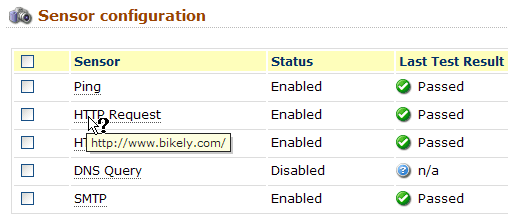
While you would generally want to group sensors targeting the same server into a single host, this does not have to be the case.
You could separate each sensor into a different Wormly host, causing each of them to be treated independently in the context of failure alerts and uptime reporting.
This will have no effect on the pricing structure –Wormly hosts exist purely for your categorization and reporting purposes, it is the sensors themselves that dictate pricing.
Adding Sensors
After you have created a new host, you may configure the sensors you intend to monitor.
Each sensor type has help associated with it, explaining the features available and the recommended usage of that sensor.
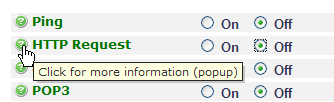
As you add each sensor, be sure to click the Test settings button to verify that your sensor is correctly configured. This will prevent you encountering immediate failures once you save the new sensor.
You can add as many sensors of any type as you like.
Scheduled Downtime
By scheduling downtime periods for a host, you can prevent Wormly from monitoring the host during those periods. This will prevent failures from being recorded and alerts from being sent during that time.
This is useful when you need to take a server offline on a regular basis for maintenance or backups, and don't wish to be alerted to its offline status.
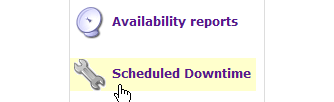
Downtime periods can be anywhere between 1 minute and 24 hours in length, and scheduled to repeat daily, weekly or monthly. You can manage these periods by selecting the Scheduled Downtime section under the relevant host.
Downtime Hurts. Start monitoring and stop worrying.
Our monitoring service continually tests your servers & web sites to keep you online and performing fast. Fully-featured plans start from just $44 / month.
But don't listen to our spiel - Decide for yourself with a free trial »